Small Business CRM Excel Template | Client Tracker + Sales Pipeline + Task Manager | Professional Ed

Β 

Complete CRM system in Excel. Track clients, manage deals, log interactions and never miss a follow-up. Color-coded, dropdown menus, smart alerts, live dashboard. Works in Excel & Google Sheets. Demo data included.

FULL DESCRIPTION

🏒 Small Business CRM β€” Professional Excel Template

Stop losing clients in sticky notes and scattered spreadsheets. This professional CRM gives you a complete customer management system β€” without expensive software subscriptions.

Works in Microsoft Excel 2016+ and Google Sheets. No coding. No plugins. Just open and use.

πŸ“¦ WHAT'S INCLUDED β€” 8 SHEETS

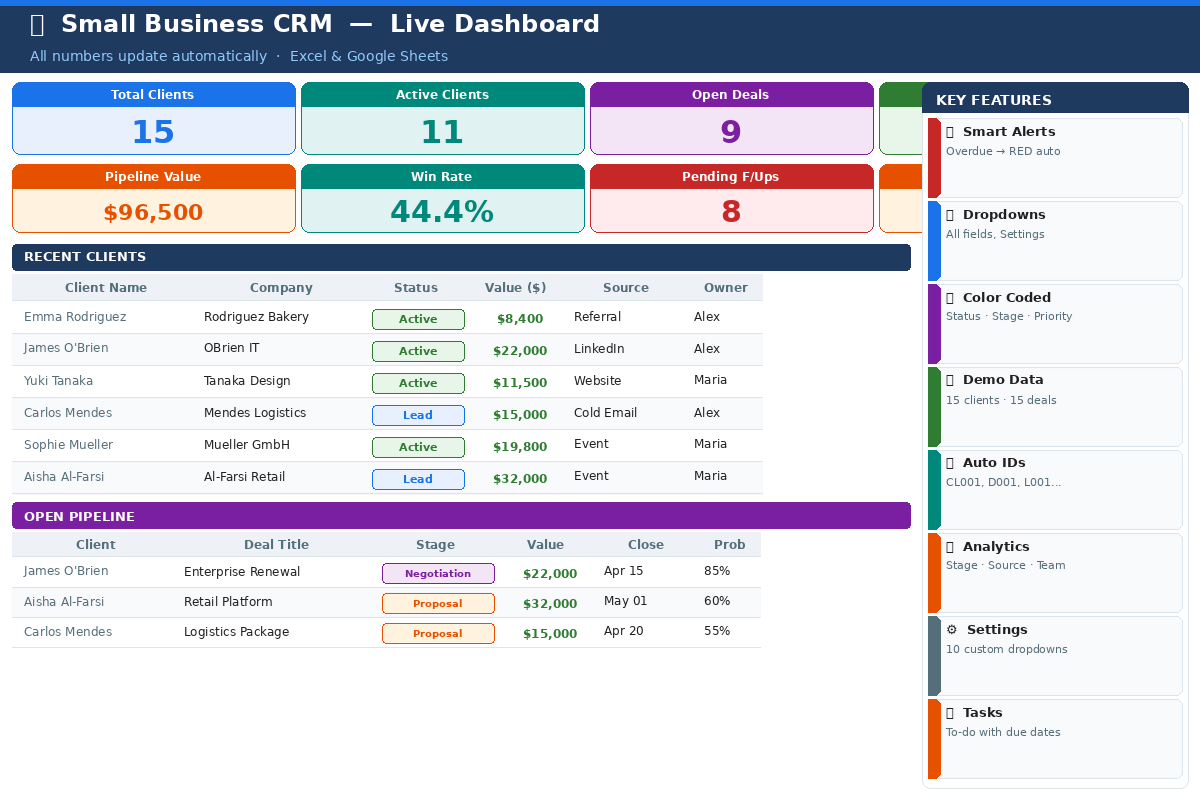
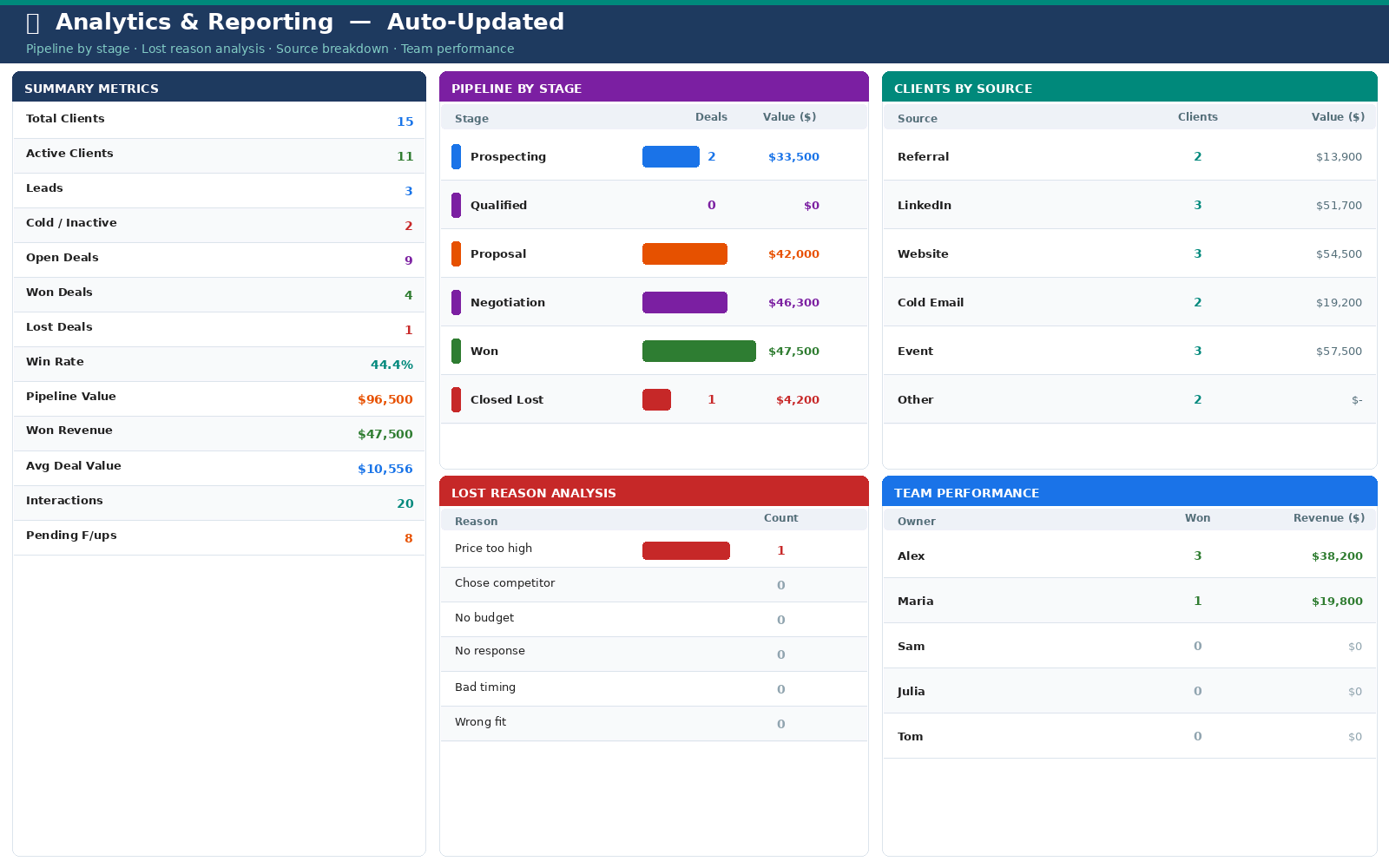
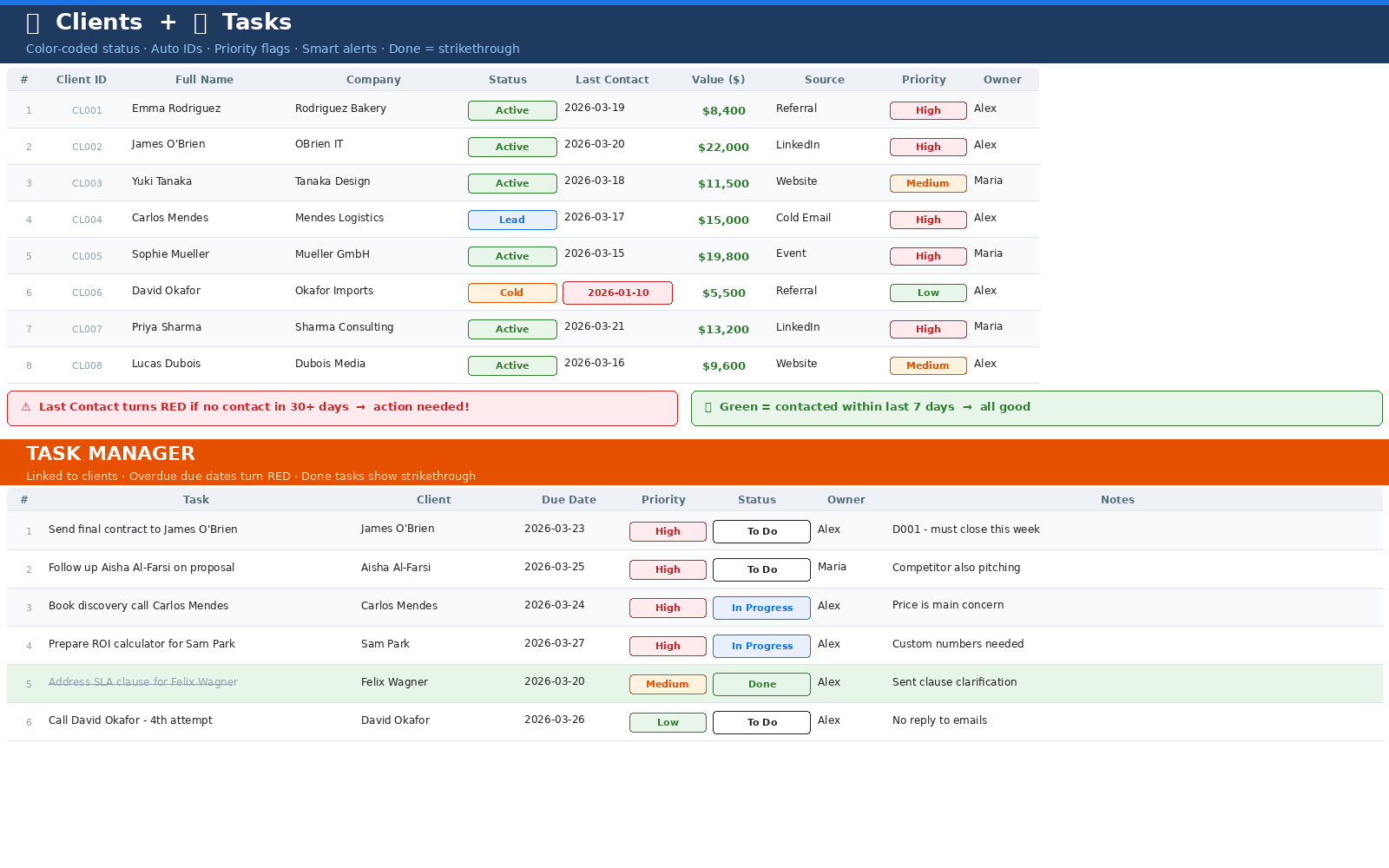
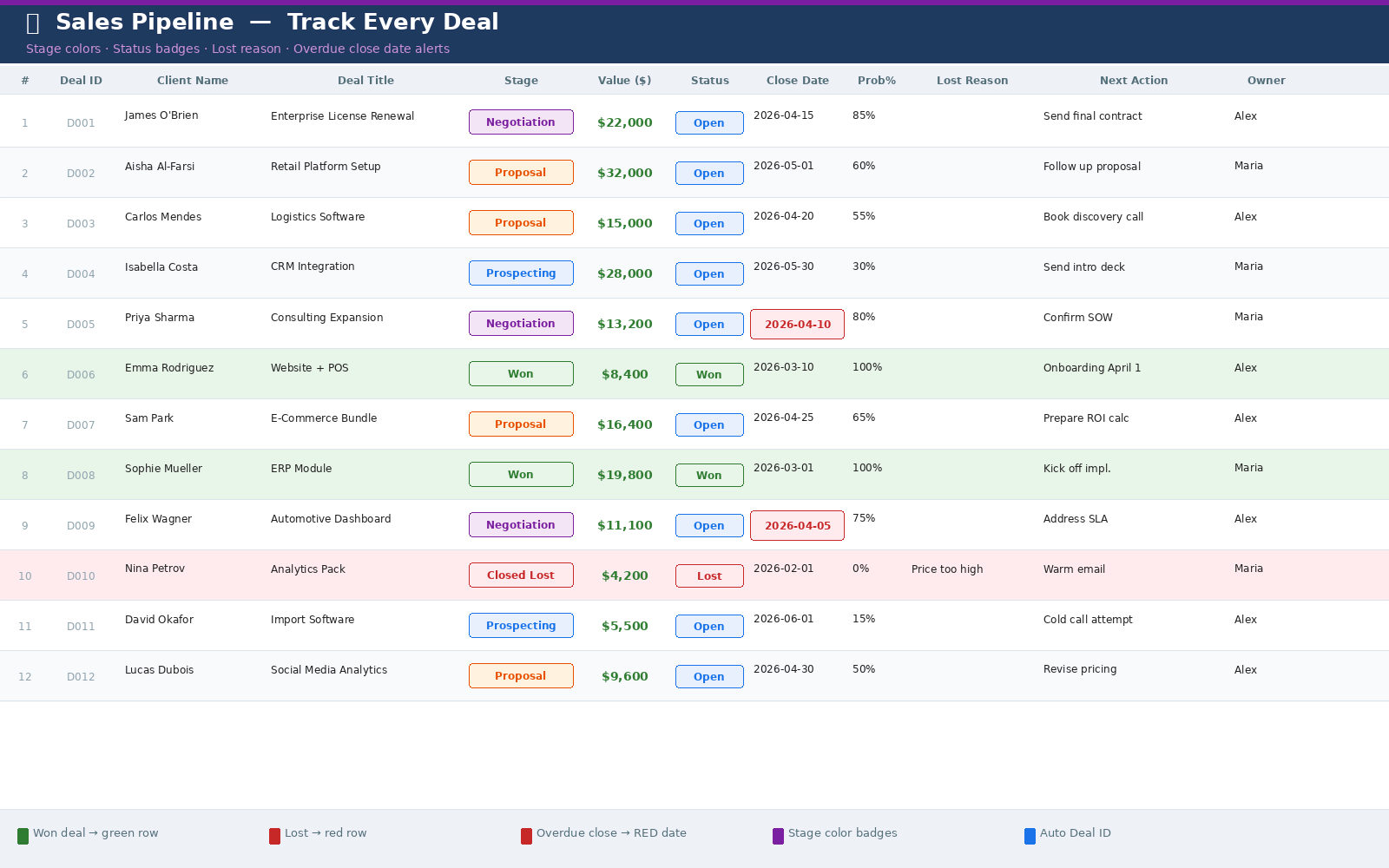
πŸ“Š Dashboard β€” Live KPIs, recent clients, open deals. Your business at a glance every morning. βš™οΈ Settings β€” Customize all dropdown menus in one place. Changes apply across all sheets automatically. πŸ‘₯ Clients β€” Complete client database with auto-ID, color-coded status and last contact alerts. πŸ’Ό Pipeline β€” Track every deal from first contact to close. Stage colors, probability, lost reason analysis. πŸ“ž Interactions β€” Log every call, email and meeting. Overdue follow-ups alert automatically. βœ… Tasks β€” Personal to-do list linked to clients. Overdue tasks turn red. Done = strikethrough. πŸ“ˆ Analytics β€” Pipeline by stage, lost reason breakdown, source analysis, team performance. All auto-updated. πŸ“– Guide β€” Step-by-step instructions. Get started in 5 minutes.

⭐ KEY FEATURES

🚨 Smart Alerts

  • Last Contact turns RED if no contact in 30+ days
  • Follow-up dates turn RED when overdue and still Pending
  • Close dates turn RED if deal is overdue and still Open
  • Overdue tasks highlighted instantly

🎨 Color-Coded Everything

  • Client status: Active=green, Lead=blue, Cold=yellow, Inactive=red
  • Deal stages: each stage has its own color
  • Priority: High=red, Medium=orange, Low=green

πŸ”½ Dropdown Menus on Every Field

  • No typos, no inconsistencies β€” every field has a dropdown
  • Edit all options in Settings β€” changes apply everywhere
  • 10 fully customizable dropdown lists

πŸ“Š Live Analytics Dashboard

  • All numbers update automatically as you add data
  • Pipeline breakdown by stage with counts and values
  • Lost reason analysis β€” understand why you lose deals
  • Team performance β€” who closes the most deals?

πŸ”’ Auto-Generated IDs

  • Client IDs (CL001, CL002...) fill automatically when you type a name
  • Deal IDs (D001, D002...) auto-generate as you add deals
  • Interaction IDs (L001, L002...) track every touchpoint

πŸ“‹ DEMO DATA INCLUDED

See exactly how it works before adding your own data:

  • βœ… 15 clients from 10 countries (USA, Germany, Japan, UAE, Brazil and more)
  • βœ… 15 deals across all pipeline stages (Prospecting, Proposal, Negotiation, Won, Lost)
  • βœ… 20 interactions (calls, emails, meetings) with realistic notes
  • βœ… 15 tasks with priorities and due dates

πŸ‘€ PERFECT FOR

  • Freelancers & Consultants β€” track clients without expensive CRM software
  • Small Business Owners β€” manage pipeline, never miss a follow-up
  • Solo Entrepreneurs & Startups β€” grow your first 100 clients the organized way
  • Small Sales Teams (2-5 people) β€” assign owners, track deals, measure performance
  • Anyone switching from sticky notes β€” finally get organized

πŸ“‹ TECHNICAL SPECS

  • Format: Microsoft Excel (.xlsx)
  • Works with: Excel 2016, 2019, 2021, Microsoft 365, Google Sheets
  • Capacity: 100+ clients Β· 100+ deals Β· 200+ interactions Β· 100+ tasks
  • Dropdowns: 10 customizable lists
  • Updates: Lifetime access to future versions

πŸš€ GET STARTED IN 3 STEPS

  1. Open Settings β€” add your team names, customize dropdowns
  2. Open Clients β€” replace demo data with your real clients
  3. Open Pipeline β€” add your first deal

Dashboard and Analytics update automatically from that moment.

❓ FAQ

Do I need to know Excel formulas? No. Everything is pre-built. Just type in the white cells.

Does it work in Google Sheets? Yes. Upload the .xlsx to Google Drive and open with Google Sheets.

Can I customize it? Yes. The template is fully editable. Add columns, rename fields, adjust freely.

Is there a client limit? Ready for 100+ clients and 100+ deals. Extend by copying rows anytime.

Can my team use it? Yes. Share via Google Sheets or OneDrive/SharePoint for team access.

Download now β€” your business deserves better than sticky notes.

License Option
Free Free
$0.72 $1.26
$7.17 $12.57
Quality checked by ZellMarket
Full Documentation
Future updates
Author Support

LukasdDev's items

Similar items